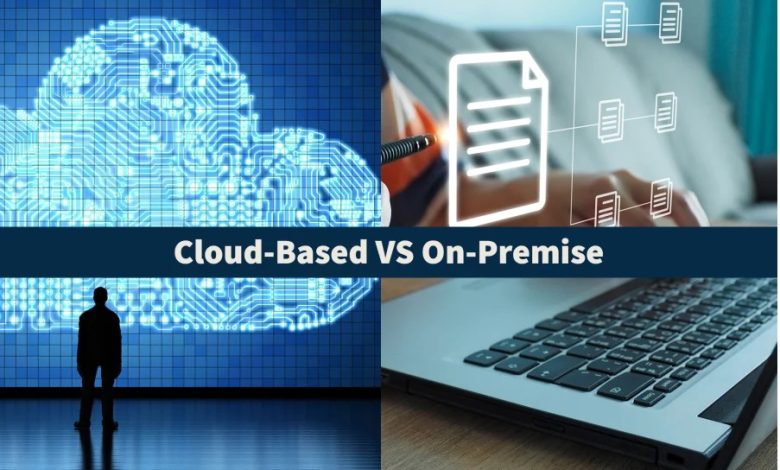
Selecting the right software deployment architecture is one of the most critical infrastructure decisions an organization can make. The choice between cloud-based software and traditional on-premises software dictates an enterprise’s long-term financial trajectory, security posture, operational agility, and daily user experience.
While cloud-based solutions have seen massive adoption due to their flexibility and rapid deployment, on-premises infrastructure remains a cornerstone for organizations requiring total data ownership and specialized customization. Determining which model is superior depends entirely on how well an architecture aligns with an organization’s specific technical requirements, regulatory constraints, and financial strategy.
Defining the Core Architectural Models
To evaluate which deployment method is better, it is necessary to establish clear technical definitions for both hosting environments.
Cloud-Based Software, commonly delivered as Software as a Service (SaaS), runs on remote infrastructure managed by a third-party cloud service provider. Users access the application over the internet via web browsers, mobile applications, or lightweight client tools. The underlying hardware, server management, data storage, and network maintenance are handled entirely off-site by the vendor.
On-Premises Software is installed and executed directly on an organization’s internal hardware and physical servers. The enterprise maintains direct physical and administrative control over the entire computing environment, including the network routing, server hardware, operating systems, data backups, and security perimeters.
Financial Impact: Upfront Capital vs. Ongoing Operational Expenditure
The financial structure of on-premises software differs fundamentally from that of cloud solutions. Evaluating total cost of ownership requires looking beyond software license prices to consider hardware lifecycles, energy consumption, and administrative overhead.
On-Premises Cost Structure
On-premises deployments rely primarily on a Capital Expenditure (CapEx) model. Implementing an in-house system demands significant upfront financial investment before a single line of software is executed:
-
Hardware Procurement: Purchasing server racks, dedicated storage arrays, networking hardware, and uninterruptible power supplies.
-
Perpetual Licensing: Paying substantial upfront costs for permanent software licenses.
-
Infrastructure Space and Utilities: Allocating physical climate-controlled room space and paying ongoing electricity and cooling bills.
-
IT Personnel: Maintaining an in-house team of network engineers and systems administrators to manage hardware health.
While the initial investment is high, ongoing operational costs after the hardware amortization period can stabilize, making on-premises systems predictable over extended periods.
Cloud-Based Cost Structure
Cloud-based software operates on an Operational Expenditure (OpEx) model. Instead of buying physical assets, companies pay a recurring monthly or annual subscription fee:
-
Zero Initial Hardware Costs: Eliminates the need to buy physical servers or build server rooms.
-
Predictable Tiered Pricing: Subscription plans scale based on active user seats, storage consumption, or feature access.
-
Bundled Maintenance: Costs for server upgrades, security patches, system redundancies, and vendor support are included in the base subscription fee.
However, as user counts expand and data storage volumes accumulate over several years, subscription costs can eventually exceed the baseline cost of running amortized local hardware.
Scalability and Deployment Speed
Organizational growth requires digital systems that can expand quickly without causing operational downtime or performance bottlenecks.
Cloud-based software offers unmatched elasticity. If an enterprise expands into a new regional market or experiences a seasonal usage surge, additional compute capacity, user accounts, and storage volumes can be provisioned in a few clicks. Cloud architectures allow companies to launch new business software globally in hours or days.
Scaling on-premises software is a manual, physical process. Expanding capacity requires accurately forecasting future resource needs, requesting capital approval, ordering physical server hardware, waiting for supply chain delivery, and performing physical rack installation and configuration. This hardware procurement cycle can delay software scaling by weeks or months, creating operational bottlenecks during rapid business expansion.
Data Security, Governance, and Regulatory Compliance
Security considerations represent one of the most debated topics in the cloud versus on-premises discussion. Neither model is inherently secure; security efficacy depends on implementation rigor.
On-premises software offers complete data sovereignty and control. Because data never leaves the organization’s physical premises, network administrators can construct tight physical and digital security perimeters. This level of isolation makes on-premises hosting attractive to financial institutions, defense contractors, and healthcare organizations bound by strict data protection mandates that forbid third-party data access.
Cloud providers operate under a shared responsibility model. While the provider secures the physical data centers, hypervisors, and core network infrastructure, the client enterprise remains responsible for access control, user permission configurations, and data classification. Leading cloud providers invest billions of dollars in multi-layered cybersecurity, employing dedicated threat monitoring teams, automated intrusion detection, and advanced hardware encryption that far exceed the security budgets of typical mid-sized businesses.
Maintenance, System Updates, and Operational Reliability
Maintaining system stability requires continuous software updates, security patching, and hardware health checks.
With cloud-based applications, maintenance is entirely automated. The cloud vendor deploys feature updates, bug fixes, and security patches across the cloud environment seamlessly. Users access the newest software version without manual intervention or local installation delays. Furthermore, cloud vendors offer robust Service Level Agreements (SLAs) guaranteeing high uptime percentages through geographically distributed data center redundancies.
On-premises software places the entire maintenance burden on the internal IT department. Upgrading software requires scheduling system downtime, testing patches in staging environments to prevent compatibility breaks, and deploying updates manually across user endpoints. If an internal server experiences hardware failure or local power loss, system recovery depends entirely on the speed and capability of the internal IT team and local backup protocols.
Remote Accessibility and Ecosystem Integration
Modern workforce dynamics heavily favor flexible software access across diverse locations and hardware platforms.
Cloud software is inherently built for remote work environments. Employees can log in securely from any location, using laptops, tablets, or smartphones connected to the internet. Real-time collaboration features are built directly into cloud platforms, allowing multiple team members to edit documents, analyze metrics, and manage projects simultaneously. Furthermore, cloud systems leverage standardized Application Programming Interfaces (APIs) to integrate easily with other cloud tools.
On-premises applications were originally designed for centralized office environments tied to a local area network. Enabling remote access for on-premises systems typically requires establishing Virtual Private Networks (VPNs) or remote desktop configurations. These extra layers introduce network latency, increase IT troubleshooting support tickets, and create user friction for remote workers.
Direct Feature Comparison
| Evaluation Factor | Cloud-Based Software | On-Premises Software |
| Financial Model | Operational Expenditure (OpEx); recurring subscription fees. | Capital Expenditure (CapEx); high upfront hardware and licensing costs. |
| Deployment Speed | Instantaneous setup via web interface. | Slow setup requiring physical server configuration. |
| Scalability | Instantaneous elastic scaling up or down on demand. | Manual scaling requiring hardware purchases and installation. |
| Data Control | Shared data stewardship with third-party vendor. | Complete internal ownership and physical data control. |
| Maintenance | Automated updates handled transparently by vendor. | Manual patching and maintenance managed by internal IT staff. |
| Remote Access | Native web access from any location or device. | Requires VPNs or specialized remote access tools. |
| System Uptime | High availability guaranteed by vendor SLAs and multi-region backups. | Dependent entirely on local power, hardware quality, and internal disaster recovery. |
Strategic Decision Framework: Selecting the Optimal Model
Neither software model is universally better; the right choice depends on your organization’s operational profile and strategic priorities.
Choose Cloud-Based Software If:
-
You operate a remote or hybrid workforce requiring seamless, multi-device access.
-
You want to eliminate capital expenditure on hardware and reduce internal IT maintenance work.
-
Your business experiences rapid or unpredictable growth that demands instant resource scaling.
-
You want continuous access to the newest software features and security patches without manual upgrades.
Choose On-Premises Software If:
-
Your organization is subject to strict legal regulations requiring physical data control and local data storage.
-
You operate in remote facilities with unreliable or restricted internet connectivity.
-
You require extreme software customization and deep integration with legacy physical hardware.
-
You possess established data center infrastructure and an experienced IT team capable of managing hardware security.
The Emerging Hybrid Approach
To avoid compromising on control or flexibility, many enterprise organizations adopt a hybrid deployment architecture. Under this model, sensitive, highly regulated core databases remain hosted on-premises within private servers, while employee collaboration tools, customer-facing interfaces, and secondary analytics suites run on cloud infrastructure. This hybrid strategy preserves critical data governance while enabling operational flexibility where it provides the highest business value.
Frequently Asked Questions
What is the total cost of ownership tipping point where on-premises software becomes less expensive than cloud subscriptions over a multi-year horizon?
The total cost of ownership tipping point typically occurs between the three-year and five-year mark for organizations with stable, predictable user counts and high compute requirements. During initial years, cloud subscriptions are significantly cheaper due to zero capital costs. However, once on-premises hardware costs are fully amortized after three to five years, the ongoing expense of running local servers consists primarily of power, cooling, and routine maintenance, which can become lower than perpetual, expanding cloud subscription fees for large enterprise seats.
How does the shared responsibility model explicitly divide security duties between cloud vendors and enterprise clients?
Under the shared responsibility model, the cloud service provider assumes responsibility for security of the cloud, which includes physical data center security, host operating systems, virtualization layers, and network infrastructure. The enterprise client remains responsible for security in the cloud, which includes user identity management, password policies, access control configurations, data encryption choices, and ensuring that uploaded file contents comply with internal security policies.
Can an organization wrap legacy on-premises software with modern cloud APIs without executing a complete software rebuild?
Yes, organizations frequently modernize legacy on-premises software using API integration middleware or containerization technologies. By building an API wrapper layer around an older on-premises application, developers can expose its core functions and internal databases to modern cloud services and web interfaces. This allows the company to retain its legacy processing logic on local servers while providing cloud-like access and integrations to front-end users.
What operational safeguards protect company data if a cloud software provider goes out of business unexpectedly?
Enterprise clients protect themselves against cloud vendor insolvency by requiring specific data escrow agreements and migration clauses within their service contracts. These legal safeguards mandate that the cloud vendor maintain continuous, automated data export routines in standardized, platform-agnostic formats. Many organizations also run automated daily cloud-to-cloud or cloud-to-local data backups, ensuring a complete, independent copy of all enterprise data resides in isolated storage under the organization’s direct control at all times.
How do latency-sensitive industrial systems operate when real-time hardware control cannot tolerate cloud transmission delays?
Latency-critical industrial systems—such as automated manufacturing robotics, medical imaging hardware, and power grid controls—utilize edge computing rather than relying directly on distant cloud data centers. Edge devices process time-sensitive commands locally on high-performance physical hardware positioned right next to the machinery, eliminating network transmission delays. Operational telemetry and non-critical analytics data are then synced asynchronously to the cloud later for long-term storage and high-level reporting.
Why does the widespread adoption of cloud software increase the risk of shadow IT within large organizations?
Cloud-based software drastically increases the risk of shadow IT because individual departments or employees can sign up for, pay for, and deploy browser-based software tools using a credit card without involving corporate IT departments or security reviews. Because cloud tools require no local hardware installation, unapproved applications can easily operate outside the visibility of network administrators, potentially exposing sensitive corporate data to unvetted third-party storage environments.
How do regional data sovereignty regulations complicate cloud hosting choices for multinational businesses?
Data sovereignty regulations require that personal data collected from citizens must be stored and processed within the physical borders of their home nation. For multinational companies using cloud software, this means they cannot host all global customer data in a single centralized cloud server location. They must carefully verify that their cloud provider operates compliant, localized data centers within each specific country or jurisdiction where they do business, or utilize multi-region cloud deployment configurations to isolate local user records.